
Aristotle / AI co-scientist for scientific research
An AI co-scientist built for researchers trained to question everything.
Aristotle is Autopoiesis Sciences’ AI co-scientist. I’ve designed it from 0 to 1, turning a black box that picked models on its own into an interface researchers can inspect, question and steer.
- Role
- Product Designer, 0 → 1
- Timeline
- Oct 2025 to Present
- Team
- 2 designers + 3 engineers
- Company
- Autopoiesis Sciences
01 · The Beta
Designing the foundation
Oct 2025 → Feb 2026
Why
Scientists don’t trust AI. And they shouldn’t have to.
Most AI tools are designed to make answers feel effortless. They return a polished response with little indication of how the answer was formed, how reliable the evidence is, or where the researcher should start questioning it.
That model works for everyday questions. Scientific research demands something different.
Researchers need to be able to:
- See what the AI is doing.Understand how it approached the question and what evidence shaped the response.
- Question the answer.Identify uncertainty, weak claims, and gaps instead of accepting a confident response at face value.
- Work with rigor.Move from an initial hypothesis to evidence, verification, and deeper investigation without leaving the research workflow.
The challenge wasn’t simply making Aristotle more accurate.
It was designing an interface that made its intelligence inspectable.
The design thesis
Transparency is the product.
Instead of hiding Aristotle’s complexity behind automation, we designed the interface around the ways researchers evaluate information themselves.
That meant giving researchers visibility into:
- what Aristotle is doing
- why it is doing it
- how it reached an answer
- and where they can challenge it
This became the principle behind the Beta experience.
Where we started
Just ask. Aristotle chooses the best model for you.
The first version of Aristotle was intentionally simple.
Every prompt was automatically routed across three models: Explore, Generate, and Verify.
There was no sidebar. No model picker. No visible reasoning layer.
The logic was straightforward:

And for simple questions, it worked.
But as Aristotle became capable of doing deeper research, the same simplicity became a limitation.
When simplicity broke
A black box, for people trained to question everything.
Automatic model selection meant researchers couldn’t see why Aristotle chose a particular approach.
When an answer felt wrong, there was little to interrogate.
At the same time, the product was gaining capabilities that couldn’t comfortably live inside the original canvas:
- Double Check needed room to surface verification.
- Source previews needed space for evidence.
- Reasoning traces needed somewhere researchers could inspect them.
- Different research modes needed to become visible and understandable.
Putting everything directly into the conversation made the canvas increasingly noisy.
Two things had to change.
Researchers needed more control over how Aristotle approached a question.
And Aristotle needed a dedicated space for making its work visible.
Control
How much control should a researcher actually have?
As Aristotle became more capable, we had to rethink an assumption from the original experience: that hiding complexity would make AI easier to use.
Instead, I explored how much of Aristotle’s underlying intelligence researchers should be able to see and control.
The exploration focused on two connected questions:
How should researchers choose how Aristotle approaches a question?
And how should Aristotle expose the work happening behind the answer?
Control · Model control
From automatic routing to researcher intent
Rather than adding more models to a hidden router, we made the choice of approach the product’s core interaction model.
Ask a question → Aristotle decides how to answer it.
Ask a question → understand the research intent → choose the appropriate approach.
A fourth mode, Instant, stays available for quick conversational answers when depth isn’t necessary.
Exposing the choice raised a new problem. Our first explorations surfaced the models directly:

Model names alone don’t explain when or why someone should use them.
So we reframed the choice. Instead of asking:
Which model do you want?
What are you trying to accomplish?
The model became an implementation detail. The research intent became the interface. Each mode then got its own design pass.
Spark
Spark: from questions to hypotheses
The problem
Scientific research rarely starts with a perfectly formed question.
A researcher might start with an observation, a gap in the literature, or a broad question and need to explore several possibilities before deciding what is worth investigating.
Traditional AI interfaces are optimized for answering questions. Spark was designed for the step before the answer: helping researchers turn an open-ended question into testable hypotheses.
The exploration
The challenge was figuring out how much structure to introduce without turning exploration into a rigid workflow.
We explored how Spark could take a broad research objective, reason across the problem space, and surface multiple potential hypotheses for the researcher to evaluate.
Rather than presenting a single answer, the experience needed to make possibilities the output.

The final experience
Spark became Aristotle’s deeper exploration mode.
A researcher starts with a question or objective, and Spark works through the problem to generate potential hypotheses, supporting rationale, and directions for further investigation.
The researcher isn’t expected to accept a single conclusion.
Spark turns an initial question into a set of possibilities worth investigating.

Search
Search: From searching for papers to searching for evidence
The problem
Finding relevant scientific literature is only the first step.
Researchers often have to move between search results, individual papers, abstracts, and scattered findings to determine what the existing evidence actually says about a question.
Traditional search helps researchers find documents.
It doesn’t necessarily help them understand the evidence within them.
The exploration
We explored how Aristotle could move beyond returning a list of papers and instead synthesize relevant evidence around the research question.
The key question was:
What if the unit of search wasn’t the paper, but the evidence inside it?
This meant exploring how Aristotle could:
- identify relevant research across sources
- surface the findings most relevant to the question
- connect evidence across multiple papers
- let researchers trace conclusions back to their sources
Rather than replacing literature search, the experience would help researchers move from discovery to understanding.
The decision
We kept the underlying search experience familiar, but shifted the output from a traditional list of results toward an evidence-driven synthesis.
Researchers could still inspect the original papers, but Aristotle would do the initial work of connecting the literature back to the question.
The goal wasn’t to hide the papers. It was to make the evidence easier to navigate.
The final experience
Search became Aristotle’s mode for grounding a question in existing scientific knowledge.
Instead of returning only:
Aristotle surfaces the relevant findings, synthesizes them into an answer, and keeps the supporting sources close at hand.
Search turns a collection of papers into an evidence trail.

Verify
Verify: from getting an answer to challenging one
The exploration
We explored how Aristotle could expose the different ways it evaluates an answer. Instead of treating verification as something that happens invisibly in the background, the interface could surface individual checks researchers might care about.
The challenge was information density. Researchers needed access to this depth when they wanted it, but showing every check inside the main conversation would make the experience harder to navigate.

The decision
Make verification available without making it part of every answer.
We moved verification out of the main conversation and into a dedicated layer where researchers could inspect how Aristotle evaluated its response.
Instead of presenting every check at once, we grouped them into individual, inspectable signals. Researchers could quickly see what was checked, then go deeper only when a result raised a question.
This created a balance between visibility and information density: verification was always accessible, without overwhelming the primary research workflow.
The final Verify experience
From a confidence score to something researchers could challenge.
Verify became a space where researchers could inspect the different dimensions behind an answer, from source verification and reasoning consistency to mathematical and factual checks.
Each check gave researchers a way to move beyond a single confidence score and understand where an answer was strong, where uncertainty remained, and what was worth investigating further.

The goal wasn’t to tell researchers whether an answer was correct.
It was to give them enough visibility to decide for themselves.
Verify is the model. What it makes possible is the next part of the story.
System Thinking
What happens between the question and the answer?
Choosing the right research mode solved one part of the problem. But giving researchers more control only matters if they can also understand what Aristotle is doing with that control.
System Thinking
Instead of presenting a finished response as a black box, System Thinking gives researchers visibility into the research process behind it.
- Question
- Scope the problem
- Identify relevant concepts
- Explore evidence
- Connect findings
- Form conclusion
Designing for inspectability
The challenge was showing enough of Aristotle’s process to build understanding without exposing every intermediate step.
We designed System Thinking as a progressive view of the research process. Researchers could see how Aristotle moved from the initial question through different stages of investigation, while keeping the final answer as the primary focus.
Each stage could be expanded to reveal the relevant reasoning, evidence, and connections behind it.
How researchers use it
System Thinking gives researchers a way to follow the path, not just read the destination.
They can quickly scan the overall approach, then drill into a specific step when something feels unclear, surprising, or worth challenging.
For example, a researcher might notice that Aristotle identified an unexpected concept during Explore Evidence, open that step, and inspect the sources and connections that led to it.
This makes the AI’s process something researchers can inspect, question, and build on, rather than something they simply have to trust.

Researchers don’t just see what Aristotle concluded. They can see how it got there.
System Thinking · A place for the work
Giving the work a place to live
We first explored keeping everything within the conversation itself, without a persistent sidebar or traditional navigation. The advantage was simplicity: the researcher could focus entirely on the question and answer.
But as we introduced model controls, verification, sources, and System Thinking, the conversation became responsible for too many jobs at once.
Not another screen.
Not another workflow.
A place for Aristotle’s work to exist alongside the answer.
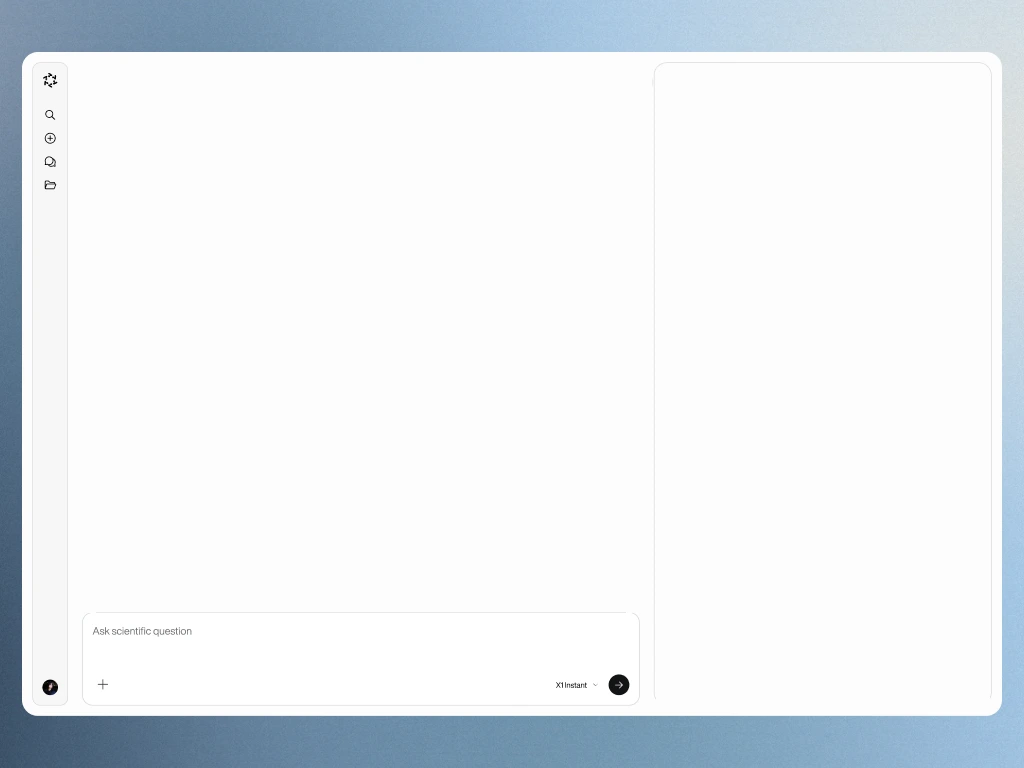
We introduced a persistent side panel for the work happening behind the answer. The conversation remained the primary place to ask and explore. The sidebar became the place to inspect and understand.

Peer Review
What if Aristotle could challenge its own work?
Researchers don’t stop at getting an answer. They question assumptions, look for weaknesses, and ask what might have been missed.
Peer Review extends that behavior to Aristotle itself. Instead of asking researchers to manually identify every weakness in a response, Aristotle can take a second pass on its own work, looking for gaps, unsupported claims, alternative interpretations, and areas that deserve further investigation.
A second set of eyes
The goal wasn’t to create another confidence score. It was to introduce productive disagreement into the research process.
Peer Review asks Aristotle to step outside its original line of reasoning and evaluate the work from a different perspective:
- What assumptions is the answer making?
- What evidence is missing?
- Are there alternative explanations?
- Which claims deserve closer scrutiny?
- What would a researcher challenge?
This gives researchers something more useful than “the answer is probably correct.” It gives them places to question.
Designing the interaction
We explored how Peer Review could fit into the research workflow without interrupting it.
Rather than making critique part of every response, we treated it as an intentional second pass. Researchers could ask Aristotle to review the work after an answer had been generated, then inspect the issues it surfaced.
The interaction was designed around a simple loop:
- Answer
- Review
- Challenge
- Refine
A researcher could scan the review first, then open individual findings to understand why Aristotle flagged them and return to the original answer with those challenges in context.
What we explored
The exploration centered on one question:
How much should Aristotle challenge the researcher?
Too little, and Peer Review becomes another reassuring summary. Too much, and every answer becomes buried under criticism.
We explored different ways of surfacing critique, from high-level review summaries to individual challenges tied back to specific parts of the response.
The direction that emerged was to make the challenges themselves the interface. Instead of giving researchers another opaque score, Peer Review surfaces specific things worth questioning.
Peer Review vs. Verify
Verify and Peer Review play different roles in the loop.
Checks the work. It helps researchers understand whether an answer holds up against the checks Aristotle applies to it.
Challenges the work. It asks what could be wrong, incomplete, or worth reconsidering.
Together, they move Aristotle beyond simply producing an answer:
Verify asks: “Does this hold up?”
Peer Review asks: “What should we challenge?”
And that completes the larger control loop:
- Choose the approach
- Understand the process
- Challenge the result
The goal isn’t to make researchers trust Aristotle more. It’s to give them better reasons to question it.
02 · After Beta
What changed once researchers started using it
Beta helped us validate Aristotle’s core value. But once we put it in front of real researchers and watched them use it, a different set of problems surfaced.
The intelligence was useful, but the product around it was harder to understand. Researchers were unsure where work belonged, what was connected, and how to move between sessions, projects, tools, highlights, and documents. Even “New Session” was interpreted by some as “New Project,” revealing that our information architecture didn’t match their mental model.
New problem
Aristotle worked well as an AI research assistant, but not yet as a coherent research workspace.
Researchers weren’t thinking in isolated chats. They were moving across papers, datasets, notes, reviews, and ongoing lines of inquiry.
Features like Highlights were valuable, but difficult to find and organize, while strong workflows like Peer Review still felt disconnected from the rest of the product.
- Chat
- Chat
Where does my work belong, and what is connected to what?
What we learned
The strongest signals weren’t about answer quality. They were about workflow.
The Shape Sessions showed that researchers saw real value in Aristotle, but the strongest signals weren’t just about answer quality. They were about how the product fit into their workflow.
Three themes kept coming up:
Researchers didn’t always understand the relationship between sessions, projects, and tools. “New Session” could even be read as creating a new project.
Make the project the obvious home for work.Highlights were valued, but hard to discover and difficult to navigate when organized only by recency.
Give saved evidence structure, not just a timeline.Peer Review stood out because it mapped to a real research task, while model names and selection often felt ambiguous.
Name workflows by the task, not the model.The broader signal was clear:
Aristotle needed to organize research around the work researchers were doing, not around the underlying AI system.
What changed
From a collection of AI interactions to a structured research workspace
Instead of allowing chats, highlights, documents, and tools to exist independently, we made Projects the foundation of the product. Every session, document, highlight, and workflow now belongs to a project, giving researchers a persistent place for the context and artifacts around a body of work.
- Projects
- Some chats
- Standalone chats
- Highlights
- Documents
- Tools
- Sessions
- Documents
- Highlights
- Peer Review
- Lab Sync
- Tools
Everything now belongs to a project. Nothing lives independently.
The project became the system of record for research.


We moved from optional project organization to a persistent project model where every session, document, highlight, and tool inherits the same research context.
We also moved away from asking researchers to understand which model to use. The research showed that model names and modes were often unclear, while task-specific workflows like Peer Review were much easier to understand.
The new direction was simple:
Organize Aristotle around what researchers are trying to do, not around how the AI works.
New features / workflows
That shift led to a set of more explicit research workflows.
These weren’t four unrelated feature additions. They became explicit workflows inside the same project context.

A dedicated surface for reviewing papers and proposals, surfacing weak claims, inconsistencies, and areas that need attention.

Researchers bring their own data into Aristotle and reason over it within the same project.

Saved passages became an organized research artifact, with color, filters, search, and notes.

A reading workflow for understanding scientific terminology without leaving the document.
Together, these workflows made Aristotle feel less like a chatbot with modes and more like a workspace built around the different stages of research.
Highlights: from saving information to organizing evidence
Of the four, Highlights has the clearest line from research to design. Researchers liked Highlights but struggled to find and navigate them, especially when sorted only by recency.
Impact
A clearer product model
The post-Beta research gave us a much clearer product model. Instead of continuing to add capabilities onto the original chat structure, we reorganized the experience around persistent projects and explicit research tasks.
The result was a product with a clearer mental model:
One project, one research context, multiple connected workflows.
It also gave us a stronger foundation for future features. New tools, documents, notes, and research artifacts could now inherit the same project context instead of becoming another disconnected surface.
Beta taught us how researchers wanted Aristotle to answer.
After Beta taught us how Aristotle needed to fit into their work.
03 · Reflection
What I learned designing AI for researchers
Designing Aristotle changed how I think about AI products.
At first, I spent a lot of time thinking about the quality of the model: how much reasoning to expose, how to distinguish different modes, and how to help users choose the right one.
But the research showed me that users rarely want to think about the system at that level.
Researchers cared about whether Aristotle could support the task in front of them: review a paper, understand a term, work with a dataset, save evidence, or challenge a claim. When we exposed too much of the underlying AI architecture, we often made the product harder to understand. Model selection itself became a source of uncertainty, and visible reasoning could compete with the answer rather than build confidence.
I also learned that trust is not the same as transparency.
Researchers did want to understand what Aristotle was doing, but more information was not always more useful. What mattered was showing the right evidence, uncertainty, sources, and reasoning at the moment it helped them make a judgment.
The biggest shift in my thinking was from designing an AI interface to designing a research system around AI.
The model was only one part of the experience. The harder design problem was creating the structure around it: where work lives, how context persists, how evidence is organized, and how researchers move from asking a question to building knowledge over time.
Next project
Aristotle Design System